AI models on Craze
Every video, image, voice, music and sound model Craze can direct, with what each one makes and what it costs.

Every video, image, voice, music and sound model Craze can direct, with what each one makes and what it costs.
Starts at$0.043 per image
Black Forest Labs' context-aware image editing model. Make targeted edits to specific areas of an image, change text, or regenerate parts with precision. Craze handles the workflow.
FLUX Kontext edits only the part you specify.
FLUX Kontext specializes in text editing within images.
Make an edit, review it, then make another.
Characters, identities, objects, and visual style stay consistent across edits.




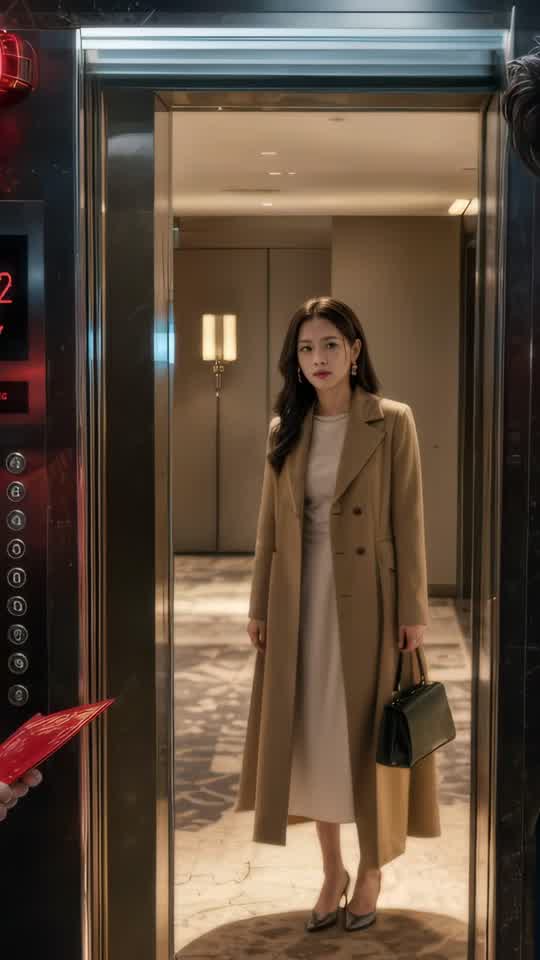





Craze creatively jams, researches and plans with you.
Craze generates anything imaginable. Video, audio, music, motion graphics and more.
Craze watches your footage and builds a final cut. With a real editor if you need it.
Every model here runs on every Craze plan, including Free, and Craze can use a different one for each shot.
| FLUX KontextBlack Forest Labs | GPT Image 2.5 SunburstOpenAI | Nano Banana 2.1Google | Nano Banana 2Google | |
|---|---|---|---|---|
| Makes | Text + Image to image | Text + Image to image | Text + Image to image | Text + Image to image |
| Quality | Up to 1K | Up to 1K | Up to 4K | Up to 4K |
| From | $0.043 per image | $0.135 per image | $0.036 per image | $0.071 per image |
| Task | Inputs | Resolution | Aspect ratios | Sound |
|---|---|---|---|---|
| Image editing | Image, Mask | 1k | 21:9, 16:9, 4:3, 3:2, 1:1, 2:3, 3:4, 9:16 | None |
| Image editing | Image, Mask | 1k | 21:9, 16:9, 4:3, 3:2, 1:1, 2:3, 3:4, 9:16 | None |
$0/ month
$19/ month
$59/ month
$199/ month
FLUX Kontext is Black Forest Labs' image editing model, built to make targeted changes to specific areas of an image without regenerating the whole thing. Make precise edits to backgrounds, text, objects, and details while maintaining coherence and consistency across multiple refinement passes.
FLUX Kontext edits only the part you specify. Change a background without touching the foreground. Rewrite text on a sign. Add an object or remove it from a corner. Adjust lighting on a specific area. The model preserves everything else, making edits surgical rather than destructive. You keep what works and change only what needs change.
FLUX Kontext specializes in text editing within images. Labels, signs, posters, logos, and any visible text can be changed. The model matches the original style, font, perspective, and layout, so rewrites look natural rather than pasted in. That's critical for merchandising, signage, and packaging work where text changes need to look professional.
Make an edit, review it, then make another. FLUX Kontext maintains character consistency and style across multiple turns, so you can refine iteratively without the image degrading over edits. Each edit builds on the previous one. Edit a background in one pass, the foreground in the next, and the image stays coherent.
Characters, identities, objects, and visual style stay consistent across edits. That makes FLUX Kontext ideal for batch work where you need multiple variations of the same base image. Edit the background for one version, the foreground for another, all from the same source, and every version maintains consistency.
You upload an image and describe the edit, and Craze modifies it in place.
FLUX Kontext is charged per edit at $0.043 per image. Each edit counts as one operation, whether you're changing a small detail or a large area. Multiple edits to the same image stack in price but allow full iterative refinement. The cost calculator on this page estimates your cost per edit.
every Craze plan, including Free give you monthly credits that cover FLUX Kontext edits. It is available on every Craze plan, including Free.
Quickly generate variations of product photos by editing backgrounds, adding lifestyle elements, swapping props, or adjusting colors. One base image becomes multiple variations without reshooting. Edit a white background to cream, then to gray, all from the same base shot.
Edit layouts, change text on promotional materials, swap hero elements for different versions, and test variations. FLUX Kontext makes rapid iteration on ad visuals fast and affordable. Change messaging on a billboard concept. Update a poster for different markets. Modify lifestyle context for different regions.
Fix a shot in post-production. Change a background that didn't work. Add or remove an element that's distracting. Remove unwanted details. Adjust lighting or shadows. FLUX Kontext lets you refine images without regenerating from scratch, saving time and maintaining composition.
Update packaging labels for different variants or markets. Change text, colors, or design elements while maintaining brand identity and layout. Iterate on design direction without shooting new photography or regenerating entirely.
FLUX Kontext is made for editing existing images. FLUX.2 Pro is made for generating new images from scratch or using references. On Craze, use FLUX.2 Pro when you're creating something new from text or references. Use FLUX Kontext when you have an image you want to modify in specific ways. Both are fast, but they serve fundamentally different workflows. Generation starts from scratch. Editing preserves and refines existing work. For higher resolution editing, see FLUX.1.1 Ultra.
Describe what you want the way you would brief an editor, and Craze writes the FLUX Kontext prompts for you. Every Craze plan, including Free, runs FLUX Kontext and every other media model, and Craze can use a different one for each job. Each image lands in your project, ready to place on the timeline of a video you export as MP4. Generations come out of your plan's monthly credits, from $0.043 per image, with top-ups when you need more.
E-commerce and product visual variation: Quickly generate variations of product photos by editing backgrounds, adding lifestyle elements, swapping props, or adjusting colors. Advertising and marketing campaigns: Edit layouts, change text on promotional materials, swap hero elements for different versions, and test variations. Content editing and post-production refinement: Fix a shot in post-production. Packaging and label design iteration: Update packaging labels for different variants or markets.
FLUX Kontext is Black Forest Labs' context-aware image editing model. It makes targeted edits to specific areas of an image with iterative control. You can change text, modify objects, adjust backgrounds, and regenerate parts without affecting the rest of the image.
Black Forest Labs released FLUX Kontext on May 30, 2025. It was one of the first image editing models designed for interactive, iterative local editing.
Yes. FLUX Kontext specializes in text editing. You can change signs, labels, logos, and any text in an image by describing the edit. The model rewrites the text while preserving style and layout.
FLUX Kontext edits at 1K resolution (1024×1024 pixels and equivalent aspect ratios) on Craze. It supports eight aspect ratios, from 21:9 to 9:16.
You pay $0.043 per image. The cost calculator on this page estimates your edit before you make it.
every Craze plan, including Free. Every paid plan includes monthly credits, and FLUX Kontext edits draw from them.
Yes. FLUX Kontext is designed for iterative editing. You can make an edit, review it, then make another edit to the same image. The model preserves character consistency, identities, and style across multiple edits.
FLUX Kontext edits preserve the original image structure and character consistency. Generating a new image from scratch loses all prior choices. Editing is faster and more precise when you want to change one thing without rebuilding the whole scene.








