AI models on Craze
Every video, image, voice, music and sound model Craze can direct, with what each one makes and what it costs.

Every video, image, voice, music and sound model Craze can direct, with what each one makes and what it costs.
Starts at$0.211 per second of added video
Google DeepMind's video model for clips up to 8 seconds in 4K. Create from text or a reference frame, with optional sound, or extend video you already have.
Veo 3.1 generates in 4K directly.
Eight seconds is long enough for an establishing shot plus a beat, or a product demo from two angles.
Start a clip from a reference image and Veo 3.1 moves from it, or use the image as direction for style and subject.
Veo 3.1 can make sound together with the picture.




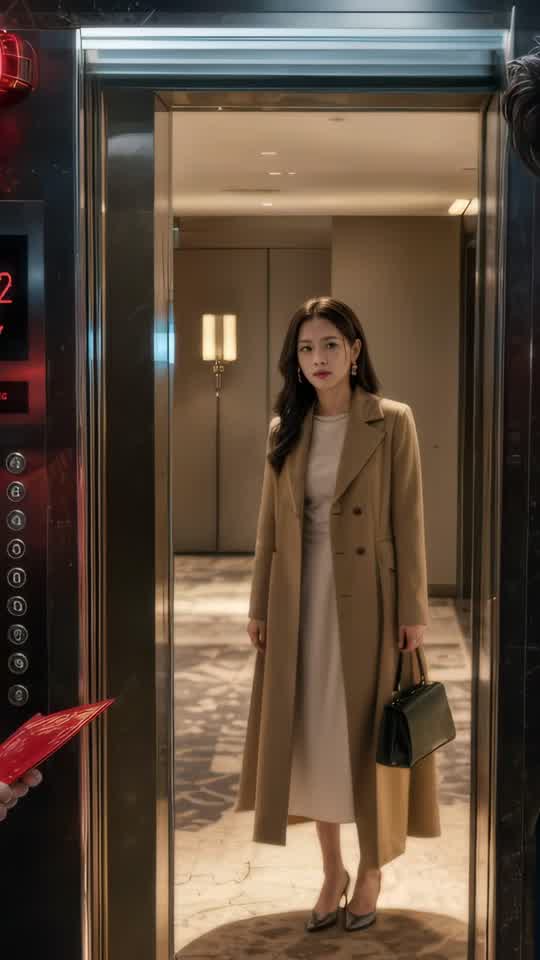





Craze creatively jams, researches and plans with you.
Craze generates anything imaginable. Video, audio, music, motion graphics and more.
Craze watches your footage and builds a final cut. With a real editor if you need it.
Every model here runs on every Craze plan, including Free, and Craze can use a different one for each shot.
| Veo 3.1Google DeepMind | Seedance 2.5ByteDance Seed Team | Seedance 2.0ByteDance Seed Team | Seedance 2.0 FastByteDance Seed Team | |
|---|---|---|---|---|
| Makes | Text + Video + Image to video | Text + Image + Video + Audio to video | Text + Image + Video + Audio to video | Text + Image + Video + Audio to video |
| Quality | Up to 4K | Up to 1080p | Up to 4K | Up to 720p |
| Length | Up to 8s per clip | Up to 30s per clip | Up to 15s per clip | Up to 15s per clip |
| Sound | Generated with the picture | Generated with the picture | Generated with the picture | Generated with the picture |
| From | $0.211 per second of added video | $0.114 per second of video | $0.075 per second of video | $0.06 per second of video |
| Task | Inputs | Resolution | Length | Aspect ratios | Sound |
|---|---|---|---|---|---|
| Video extension | Video | 720p | 7 s | 16:9, 9:16 | On or off |
| Text to video | Text prompt | 720p, 1080p, 4k | 4, 6, 8 s | 16:9, 9:16 | On or off |
| Image to video | First frame | 720p, 1080p, 4k | 4, 6, 8 s | Follows the input | On or off |
$0/ month
$19/ month
$59/ month
$199/ month
Veo 3.1 is built for resolution. It reaches native 4K in a single generation, handles up to 8 seconds of video, and generates sound in the same pass. That gives you broadcast-ready UHD output without a separate upscale step. Veo 3.1 is Google DeepMind's flagship model for quality-first creation, built on the same architecture that powers Veo 3.1 Fast and Veo 3.1 Lite.
Veo 3.1 generates in 4K directly. No upscaling filter, no quality loss from stretching. You get the resolution the model understands natively.
Eight seconds is long enough for an establishing shot plus a beat, or a product demo from two angles. The model keeps fine details consistent across the full duration, from fabric texture to water surface to light reflection.
Start a clip from a reference image and Veo 3.1 moves from it, or use the image as direction for style and subject. The model takes that anchor into account throughout the generation.
Veo 3.1 can make sound together with the picture. Leave sound off for a score that you'll add, or get the ambient and the speech in one pass when they're baked into the concept.
You don't need to write video model prompts. You describe what you want, name Veo 3.1, and Craze makes it happen.
Veo 3.1 on Craze also runs video extension, a 7-second continuation of a clip you provide. When you ask for it by name, Craze uses it for that shot.
Veo 3.1 supports three generation tasks on Craze. Text-to-video takes a written prompt and generates a clip from scratch. Image-to-video takes a reference image and animates from it, preserving visual details and style. Video extension takes your existing clip and generates a continuation, keeping camera motion and framing intact. Sound generation runs in all three, producing dialogue, ambient audio, and effects timed to the visual action.
Veo 3.1 handles open-ended subjects. You can describe abstract concepts, specific objects, people, environments, or cinematography. The model writes to physical principles, so motion looks natural and objects behave according to real-world physics. Water flows downward, falling objects accelerate, and people walk with natural gait.
The model preserves detail across frames. Fine textures, fabric patterns, water surfaces, and lighting stay consistent from frame one through frame eight. Reference images act as anchors for composition and style, and Veo 3.1 holds that visual direction throughout the generation.
Both reach 4K and support 8-second clips with optional sound. Veo 3.1 Fast generates output faster. Veo 3.1 Fast costs less per second due to the faster generation. If speed is your priority or you're iterating through multiple takes, Veo 3.1 Fast is the practical choice. If you're shooting the hero shot and time doesn't matter, Veo 3.1 gives you the original quality.
Veo 3.1 is priced per second of video. Extension starts at $0.211 per second of added video; new clips use a separate rate. New clips can be 4, 6, or 8 seconds at 720p, 1080p, or 4K, with rates varying by resolution and sound setting. Extension adds a fixed 7 seconds at 720p.
Turning on sound increases the rate. Video extension tasks also use per-second billing. Use the cost calculator on this page to estimate your exact cost for your selected task, resolution, audio setting, and length.
Native 4K output means you hit production specs without an extra process. Motion graphics, product photography, and ads that will air on screens big and small all fit in one 8-second clip or a short sequence.
When you're shooting for native 4K, Veo 3.1 delivers it without upscaling. It's the standard for showreels and portfolio work where the visual quality is a statement, offering the full resolution production demands.
Veo 3.1 bundles sound in the same generation as the picture. When you need both to be part of the same creative decision, run them together.
Veo 3.1 is the resolution leader in the Veo family. Veo 3.1 Lite maxes out at 1080p and costs less per second, making it ideal for web and social delivery. Veo 3.1 reaches 4K and supports video extension, which Lite does not.
For a comprehensive comparison with other models on Craze, consider Gemini Omni Flash, which also generates 4K with built-in sound, or Grok Imagine 1.5, which focuses on image-to-video with strong character consistency. Veo 3.1 is the choice when you need native 4K resolution and the longest supported clip length.
Describe what you want the way you would brief an editor, and Craze plans the shots and writes the Veo 3.1 prompts for you. Every Craze plan, including Free, runs Veo 3.1 and every other media model, and Craze can use a different one for each job. Each video lands on an editable timeline with your cuts, captions and music, ready to export as MP4. Generations come out of your plan's monthly credits, from $0.211 per second of added video, with top-ups when you need more.
Commercial and broadcast work: Native 4K output means you hit production specs without an extra process. UHD portfolio and prestige projects: When you're shooting for native 4K, Veo 3.1 delivers it without upscaling. Commercials with sound on set: Veo 3.1 bundles sound in the same generation as the picture.
Veo 3.1 is a video generation model from Google DeepMind. It creates clips of up to 8 seconds from a text prompt, from a reference image, or by extending existing video. It generates 4K video and can add sound to the same clip.
Google DeepMind released Veo 3.1 on October 15, 2025.
720p, 1080p, or 4K. For new clips, choose 4, 6, or 8 seconds at any offered resolution. Extension is 720p only.
Each clip runs up to 8 seconds. For longer videos, Craze generates several clips and cuts them together on the timeline.
Yes. Video extension generates a 7-second continuation of a video clip you provide. Craze runs Veo 3.1 when you ask for it by name.
Yes, Veo 3.1 can generate sound together with the video. Sound is optional on Craze, so you can leave it off for edits that will carry music or voiceover instead.
$0.211 per second of added video is the starting rate for video extension. New text-to-video and image-to-video clips have a separate rate that varies by resolution and sound setting. Use the calculator for your task.
every Craze plan, including Free. Every paid plan includes its monthly credits, and Veo 3.1 generations draw from them.
Veo 3.1 Lite runs up to 1080p and costs less. Veo 3.1 goes up to 4K. Both support text and image inputs. Veo 3.1 also supports video extension, which Lite does not.
ByteDance Seed Team
From $0.114 per second of video
ByteDance Seed Team
From $0.075 per second of video
ByteDance Seed Team
From $0.06 per second of video







