Why look beyond CapCut in 2026?
CapCut has over one billion downloads and 500 million monthly active users. It is the default editing tool for a generation of TikTok and Reels creators. But three issues keep surfacing in 2026 that are pushing users to look for alternatives.
The paywall creep
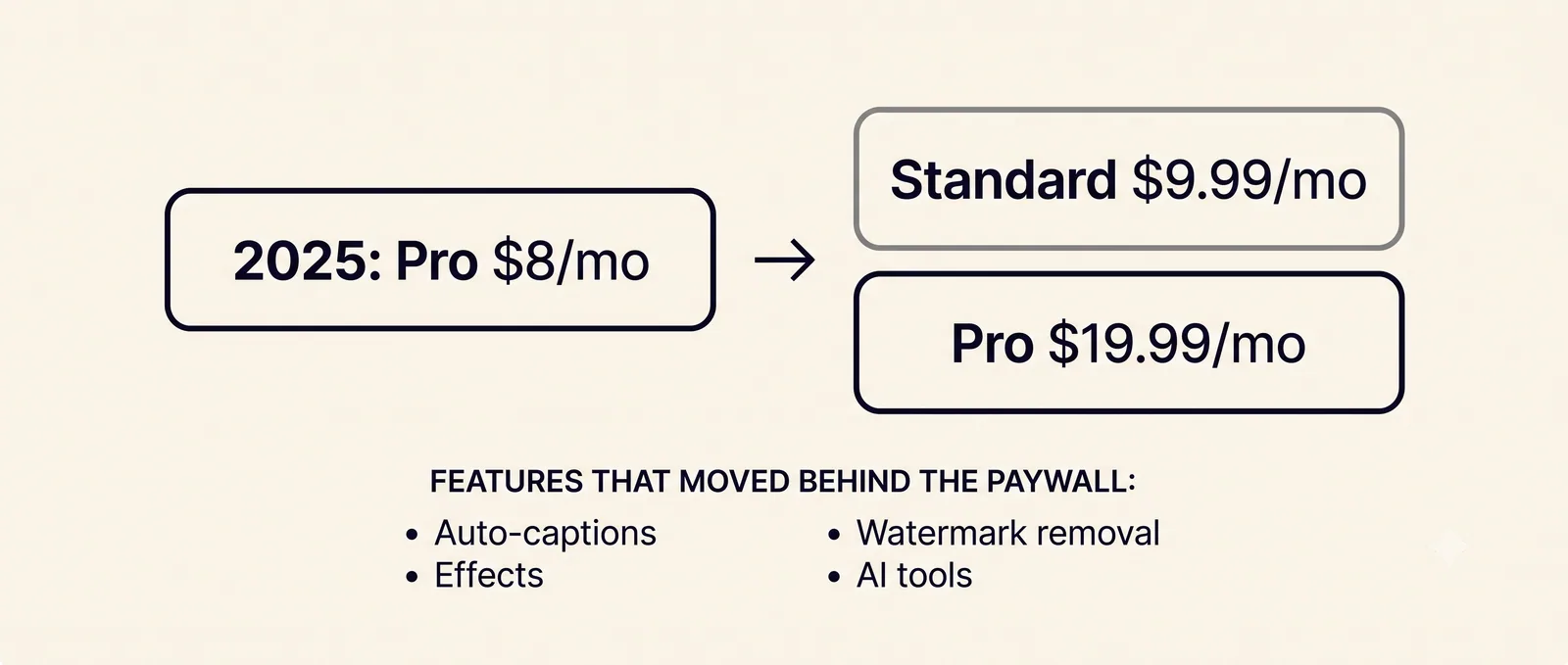
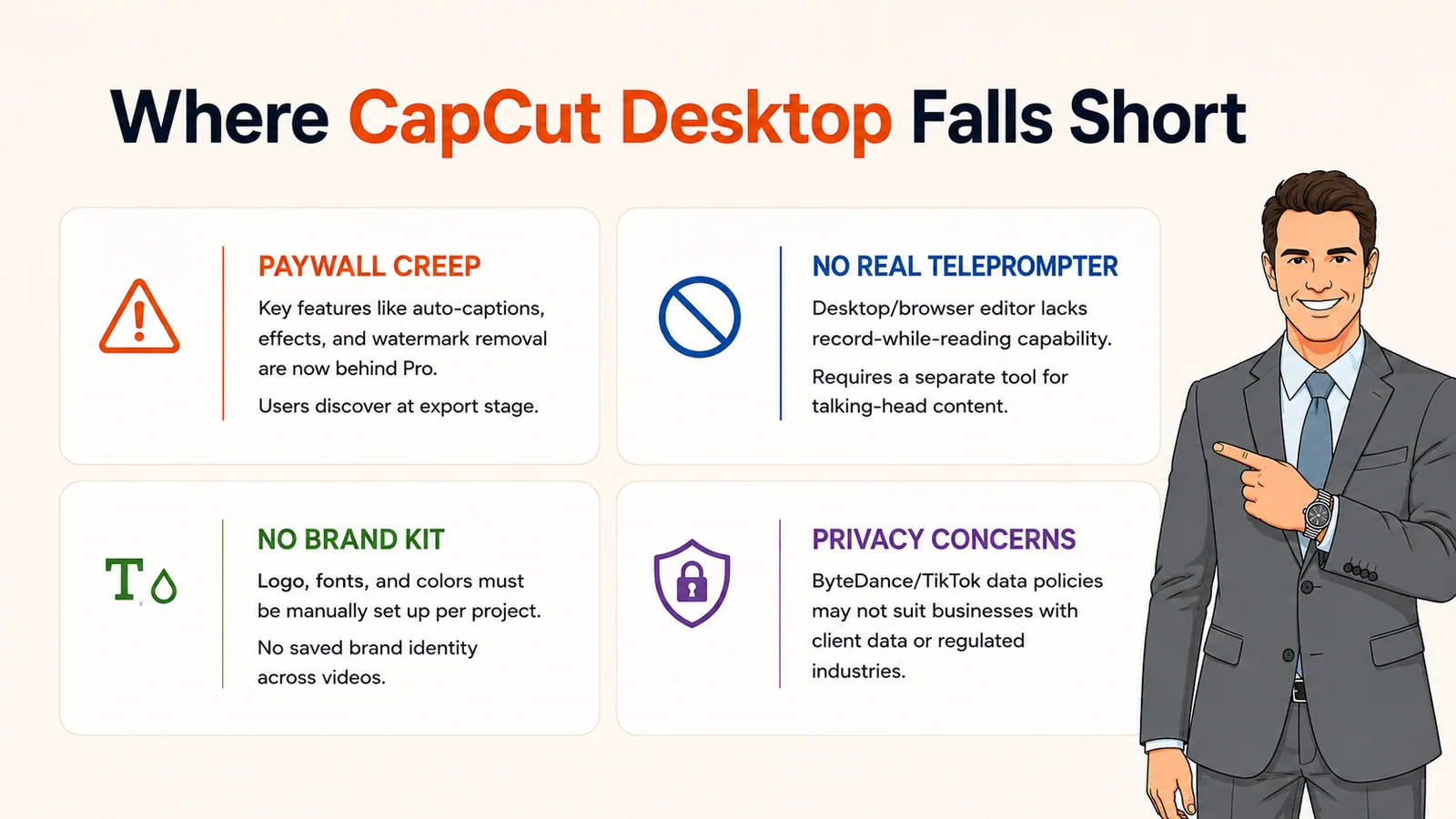
The single biggest complaint from long-term CapCut users is that features which were free have progressively moved behind the Pro subscription. Auto-captions, specific effects, watermark removal, and advanced AI features have all shifted at various points. One Trustpilot reviewer captured the frustration: "I spend several hours making a video only to be told 99% of the transitions etc were only for Pro."
In early 2026, CapCut split its old $8/month Pro into Standard ($9.99/month, mainly mobile, no 4K) and a new Pro ($19.99/month). Many users experienced this as a quiet price hike. AI credits on Pro run out in one to two weeks for heavy users, triggering add-on purchases at $4.99 per 100 credits.
The ByteDance data question
CapCut is developed by ByteDance, the same company behind TikTok. In January 2025, CapCut was temporarily removed from US app stores alongside TikTok under the PAFACA Act. It came back within days, and as of August 2026, CapCut is available in the US under the new TikTok USDS safeguards. But it remains banned in India, and the EU is evaluating GDPR compliance with a deadline that could force operational changes within the year.
For personal social media use, this is a calculated risk most creators accept. For brands working with commercial content, sensitive IP, or enterprise clients, the ByteDance content licensing terms and regulatory uncertainty deserve serious consideration.
The editing ceiling
CapCut is built for short-form social editing. When you try to push it beyond that (long-form content, complex multi-track projects, brand films, advanced color grading), you hit a ceiling fast. Product Hunt reviewers note limited cloud storage, browser compatibility issues (Chrome-only for web), and desktop bugs. Multiple review roundups flag a 15-minute limit on certain project types, single-track limitations for complex edits, and non-existent customer support.
CapCut does not generate video from scratch, does not plan creative direction, and does not produce voiceovers or music with AI. If your workflow requires creating content rather than editing existing clips, CapCut is the wrong tool.
If you need one answer: Craze is the best overall CapCut alternative for anyone making brand films, ads, or product videos from scratch. DaVinci Resolve is the best free alternative for professional editing. Descript is the best alternative for podcast and interview editing.
The best CapCut alternatives
Each tool below solves a specific problem CapCut does not. We tested all eight on real projects.
1. CapCut vs Craze (Overall best alternative for creating videos)
CapCut edits clips you already have. Craze creates videos from ideas you have not filmed. That is the fundamental difference.
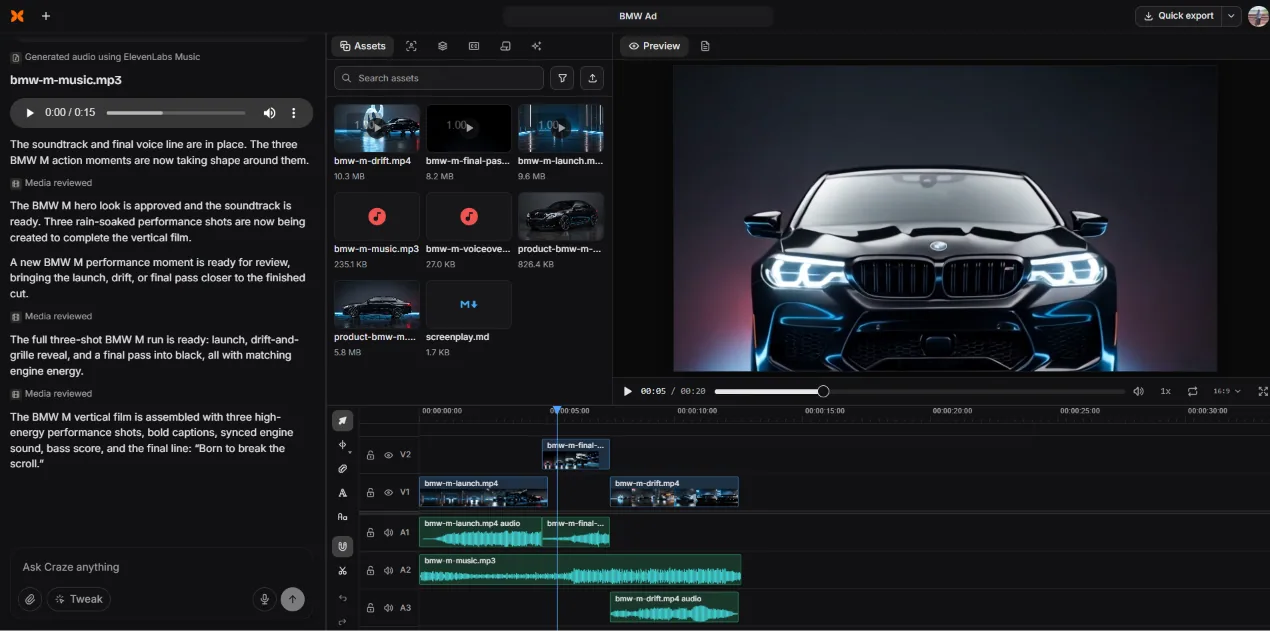
In Craze, you describe what you want in plain language. The AI interprets your brief, asks clarifying questions, writes a story outline, and generates reference images to lock the visual direction. Once approved, Craze generates video clips (Kling O3 Pro, Seedance 2.5), voiceovers (ElevenLabs V3), music (ElevenLabs Music), and product images (GPT Image 2). Everything lands on a multi-track timeline with transitions, effects, and sound design.
For agencies making brand content, teams producing ads, or creators building AI short films, Craze replaces the multi-tool pipeline that CapCut was never part of. You do not source stock footage, record audio, find music, and then edit in CapCut. You direct the video in Craze and export.
- End-to-end: creative planning, AI generation, timeline editing
- Multi-model generation (video, voiceover, music, images)
- $19/month flat. No paywalls, no credit metering
- Unlimited exports included
- No free plan
- Browser-only (no mobile app)
When to pick Craze over CapCut: Your bottleneck is creating video, not editing existing clips. You need brand films, ads, product demos, or AI-generated content. You want flat pricing without paywall surprises.
2. CapCut vs DaVinci Resolve (Best free professional editor)
DaVinci Resolve has the most powerful free tier of any video editor, period. The free version includes a full multi-track timeline, industry-leading color grading (Resolve is the gold standard for color), Fairlight audio post-production, and visual effects through Fusion. No watermarks, no time limits, no feature gates on the core editing tools.
DaVinci Resolve maintains a 4.7/5 rating on G2 from 212 reviews. The tradeoff: steep learning curve. A TikTok that takes 20 minutes in CapCut might take significantly longer in Resolve because the tool is built for professional workflows, not quick social edits. There is no mobile app. It requires a capable computer (GPU-intensive).
For creators who want professional results without a subscription, DaVinci Resolve is the alternative CapCut users graduate to. Just know that the learning investment is real.
- Free version with no watermarks, no time limits
- Industry-leading color grading (Hollywood standard)
- Fairlight audio and Fusion VFX included free
- No subscription, no paywall surprises
- Steep learning curve (professional-grade UI)
- GPU-intensive (needs a capable computer)
- No mobile app, desktop only
- No AI video generation
3. CapCut vs Descript (Best for podcast and interview editing)
Descript edits video by editing text. Import a recording, get an automatic transcript, and cut the video by editing the transcript. For podcasters, interviewers, and anyone working with spoken content, this is faster than any timeline-based editor.
Studio Sound cleans up noisy audio to near-studio quality. Overdub clones your voice from three minutes of sample audio. Filler word removal strips every "um" and "uh" in two clicks. CapCut has none of these features in any meaningful form.
Descript does not generate footage and its visual editing tools are limited compared to CapCut's effects library. It is a specialist tool for spoken content, not a general-purpose editor.
- Transcript-based editing (edit text, video follows)
- Studio Sound, Overdub voice cloning, filler removal
- Strong team collaboration tools
- Cannot generate video or music
- Limited visual effects and transitions
- Metered pricing (media hours + AI credits)
4. CapCut vs Adobe Premiere Pro (Best for professional production)
Premiere Pro is the industry standard for professional video editing with roughly 30 million users worldwide. The 2026 updates added AI text-based editing, footage search, Generative Extend, and enhanced speech cleanup. For broadcast, film, and professional brand content, nothing else has the same ecosystem (After Effects, Photoshop, Audition integration).
Premiere is overkill for TikTok clips. But if CapCut's ceiling is frustrating you because your work demands multi-cam editing, advanced color grading, or broadcast-grade output, Premiere is where you go.
- Industry-standard professional NLE
- AI text-based editing, Generative Extend
- Advanced color, multi-cam, effects pipeline
- Creative Cloud ecosystem integration
- Steep learning curve, resource-intensive
- Subscription-only (~$23/mo), no free plan
- No AI video generation
5. CapCut vs VEED (Best for quick browser-based captions and subtitles)
VEED is the closest direct competitor to CapCut in the "quick browser editing" space. It handles auto subtitles, translation into 50+ languages, AI avatars, and screen recording. VEED's strength over CapCut: it is not owned by ByteDance, which matters for users with data privacy concerns.
The downsides are similar to CapCut's: G2 reviewers flag slow performance, limited features, and expensive pricing. The free plan hits limits within minutes. Pro costs $29/month per user, which is more expensive than both CapCut Pro and Craze.
- Browser-based, no ByteDance data concerns
- Auto subtitles and translation in 50+ languages
- AI avatars and screen recording
- $29/mo Pro is expensive for the feature set
- Slow performance on larger projects
- Free plan is extremely limited
6. CapCut vs InVideo AI (Best for template-based marketing videos)
InVideo AI turns text prompts into assembled videos using 16M+ stock assets. Where CapCut needs you to bring footage, InVideo generates a draft video from your script. It is not as polished as directed AI production (like Craze), but for quick marketing content and social promos, it fills a gap CapCut leaves open.
- Script-to-video with 16M+ stock assets
- 5,000+ templates for social formats
- AI voiceovers in multiple languages
- Limited frame-level editing control
- Credit-based revision system
- AI footage selection can miss the mark
7. CapCut vs Filmora (Best for intermediate creators wanting more control)
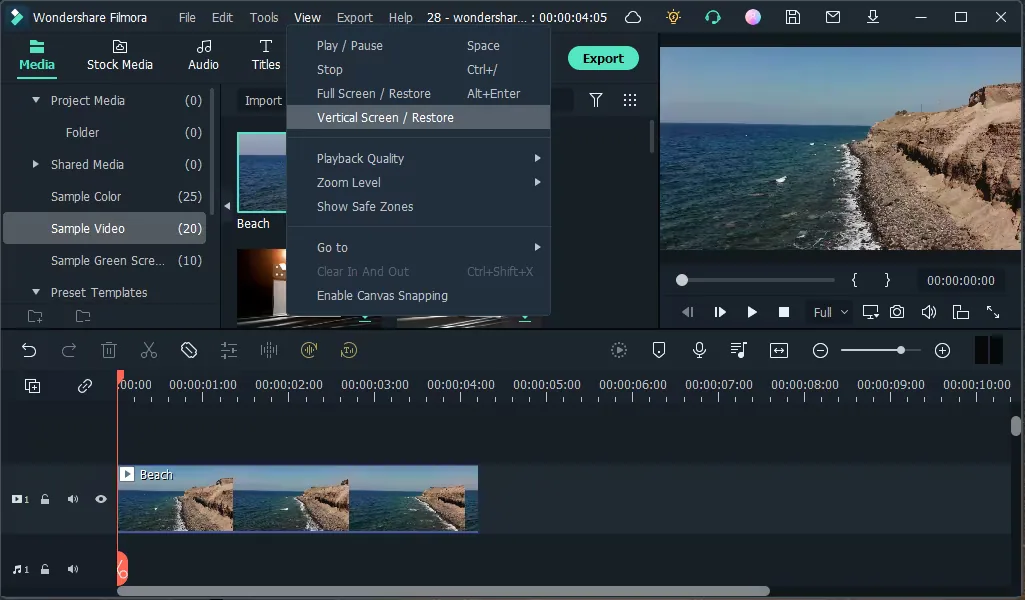
Wondershare Filmora occupies the middle ground between CapCut and Premiere Pro. It offers a multi-track timeline with keyframe animation, motion tracking, speed ramping, and a respectable effects library, all in an interface that is friendlier than professional NLEs. The 2026 version added AI tools including smart cutout, AI copywriting, auto reframe, and text-to-video.
Filmora is the natural upgrade for CapCut users who want more control without the Premiere learning curve. The tradeoff: its subscription model includes an export watermark on free projects, and some AI features are credit-gated.
- Multi-track timeline with motion tracking and keyframes
- AI smart cutout, auto reframe, text-to-video
- Friendlier learning curve than Premiere or Resolve
- Desktop + mobile apps
- Free version adds a watermark
- Some AI features are credit-gated
- Less professional than Premiere or Resolve
8. CapCut vs Clipchamp (Best free option for Windows users)
Clipchamp is Microsoft's browser-based editor, built into Windows 11. It handles trimming, splitting, text overlays, screen recording, and auto-captions with 1080p export, all free. It is simpler than CapCut but carries no ByteDance data concerns and no paywall surprises.
For Windows users who need a quick, reliable, free editor without third-party data concerns, Clipchamp is the safe default. It will not impress you with effects or templates, but it will not surprise you with a paywall at export time either.
- Free, no watermarks, 1080p export
- Built into Windows 11 (zero setup)
- No ByteDance data concerns
- OneDrive and Microsoft 365 integration
- No keyframes, no motion tracking
- Lightweight AI compared to CapCut Pro
- Browser-only with limited rendering control
CapCut alternatives at a glance
| Tool | Best for | AI generation | Free tier | Starting price |
|---|---|---|---|---|
| Craze | Brand films, ads, product demos | Video, voice, music, images | No | $19/mo flat |
| DaVinci Resolve | Professional editing + color | No | Full editor, no limits | Free / $295 one-time |
| Descript | Podcasts, interviews | Voice cloning only | 60 min/mo | $16/mo |
| Premiere Pro | Professional production | Generative Extend | No | ~$23/mo |
| VEED | Browser-based captions | AI avatars | Very limited | $12/mo |
| InVideo AI | Template marketing videos | Script-to-video (stock) | Watermark | $28/mo |
| Filmora | Intermediate creators | Text-to-video, smart cutout | Watermark | ~$50/yr |
| Clipchamp | Free basics for Windows | No | Full editor, 1080p | Free / $13/mo |
*Check each tool's website for the latest pricing.
How to choose the right CapCut alternative
You need to create video from scratch (no footage): Craze. Creative planning + AI generation + timeline editing in one workspace.
You want a free professional editor with no paywalls: DaVinci Resolve. The learning curve is steep but the tool is world-class.
Your content is primarily spoken (podcasts, interviews): Descript. Transcript editing is unmatched for dialogue.
You need the full professional NLE ecosystem: Premiere Pro. Industry standard for a reason.
You want CapCut-style browser editing without ByteDance: VEED or Clipchamp, depending on your budget (Clipchamp is free).
You want more control than CapCut without the Premiere learning curve: Filmora. The natural upgrade for intermediate creators.
You want fast template-based marketing videos: InVideo AI. Script in, video out.
Need to create video, not just edit clips?
Craze plans, generates, and edits your videos from a creative brief. No paywalls, no credit metering.
$19/month flat. Unlimited exports.