
How do you add captions to a video in Craze?
Craze adds captions by transcribing the speech in a clip.
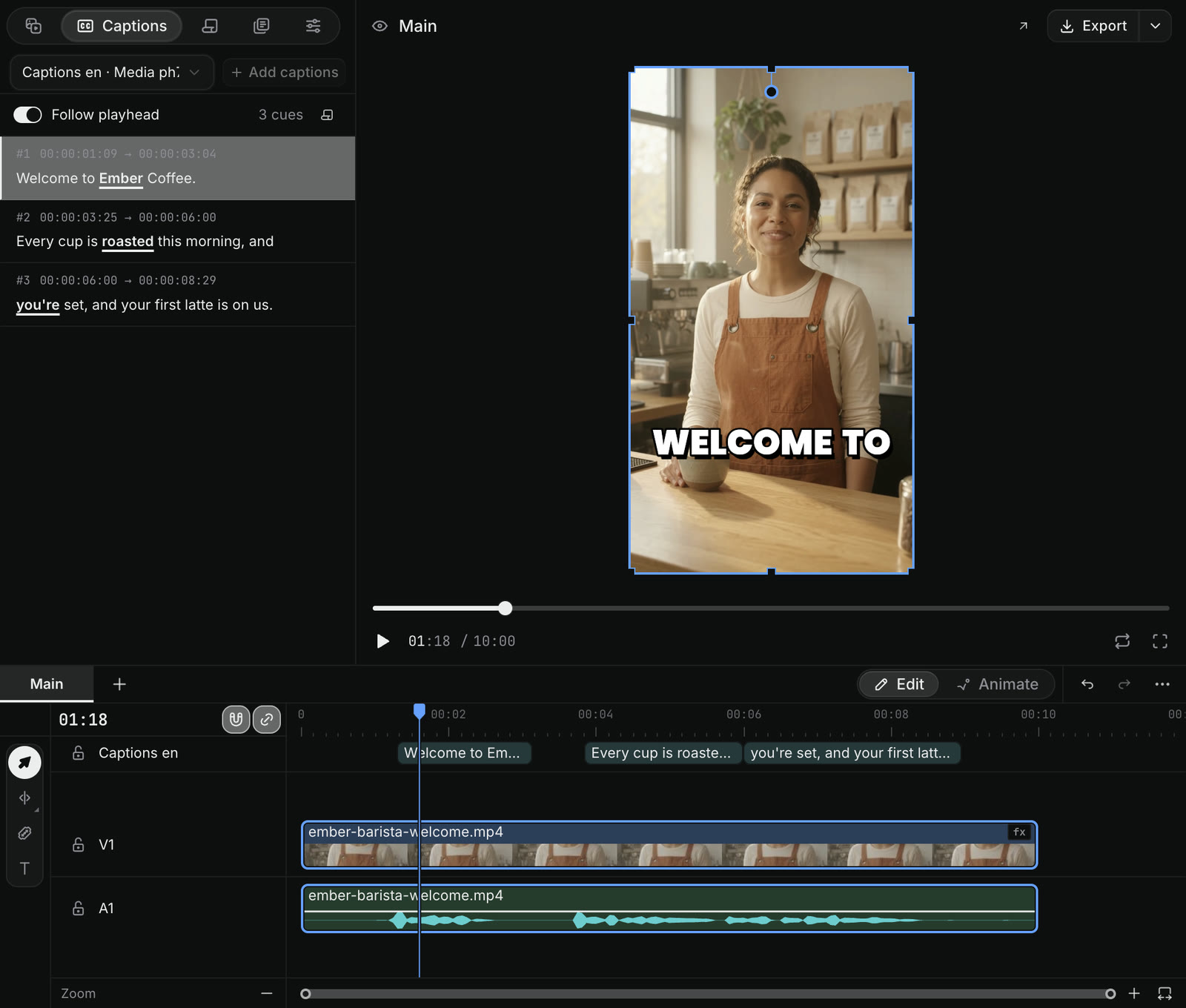
- In the Craze editor, select the video or audio clip with speech on the timeline.
- Open Captions in the media panel at the top left.
- Click Add captions.
Craze transcribes the clip and places a caption clip on the "Captions" track at the top of the timeline, timed to the speech. The Captions panel then lists every caption with its start and end time, and clicking one moves the playhead to it. You can also ask the Craze agent in the chat, for example "add bold word-by-word captions".
How do you change the style of captions in Craze?
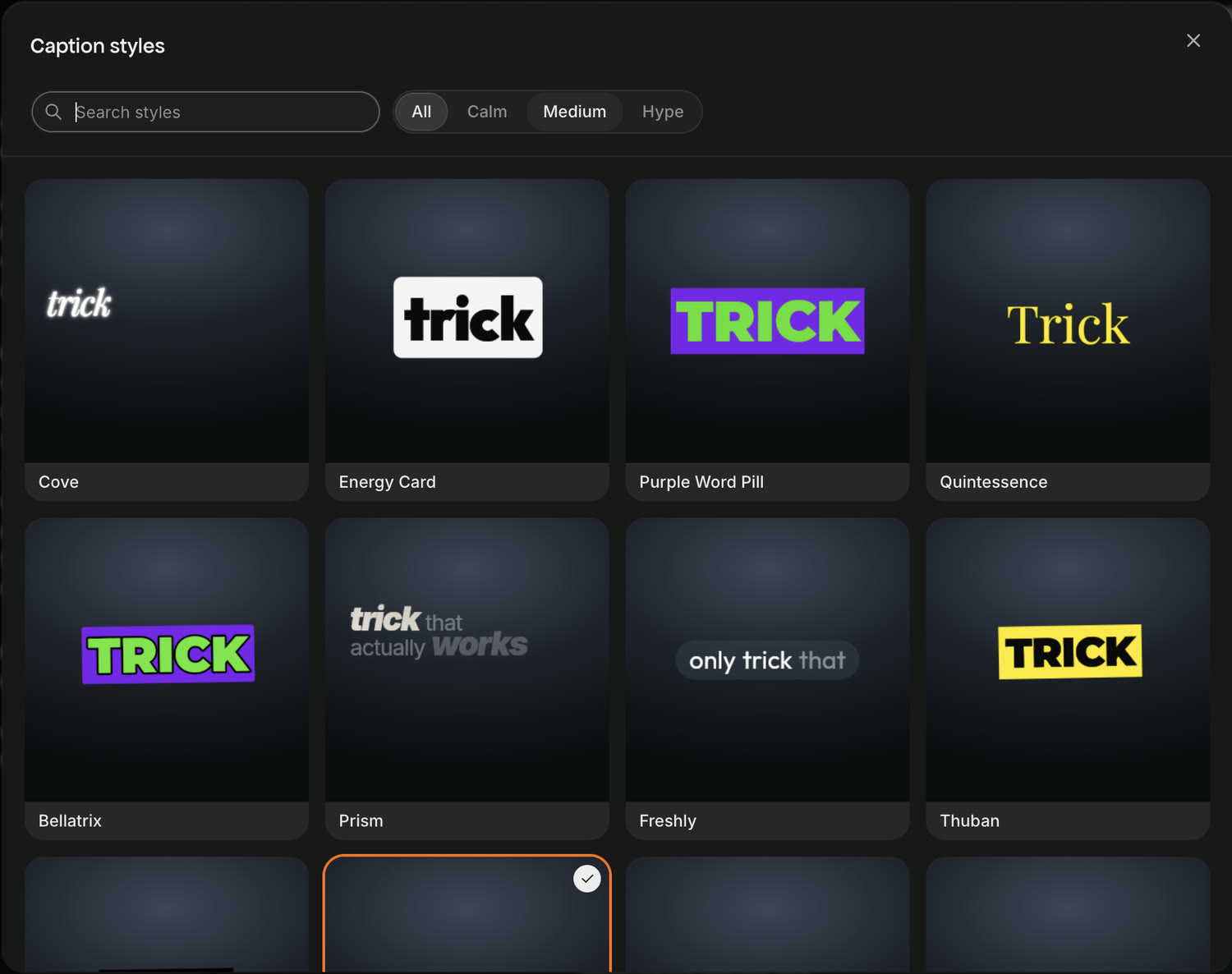
Craze has 48 caption styles, from calm subtitles to bold word-by-word captions.
- Select the caption clip on the "Captions" track of the Craze timeline.
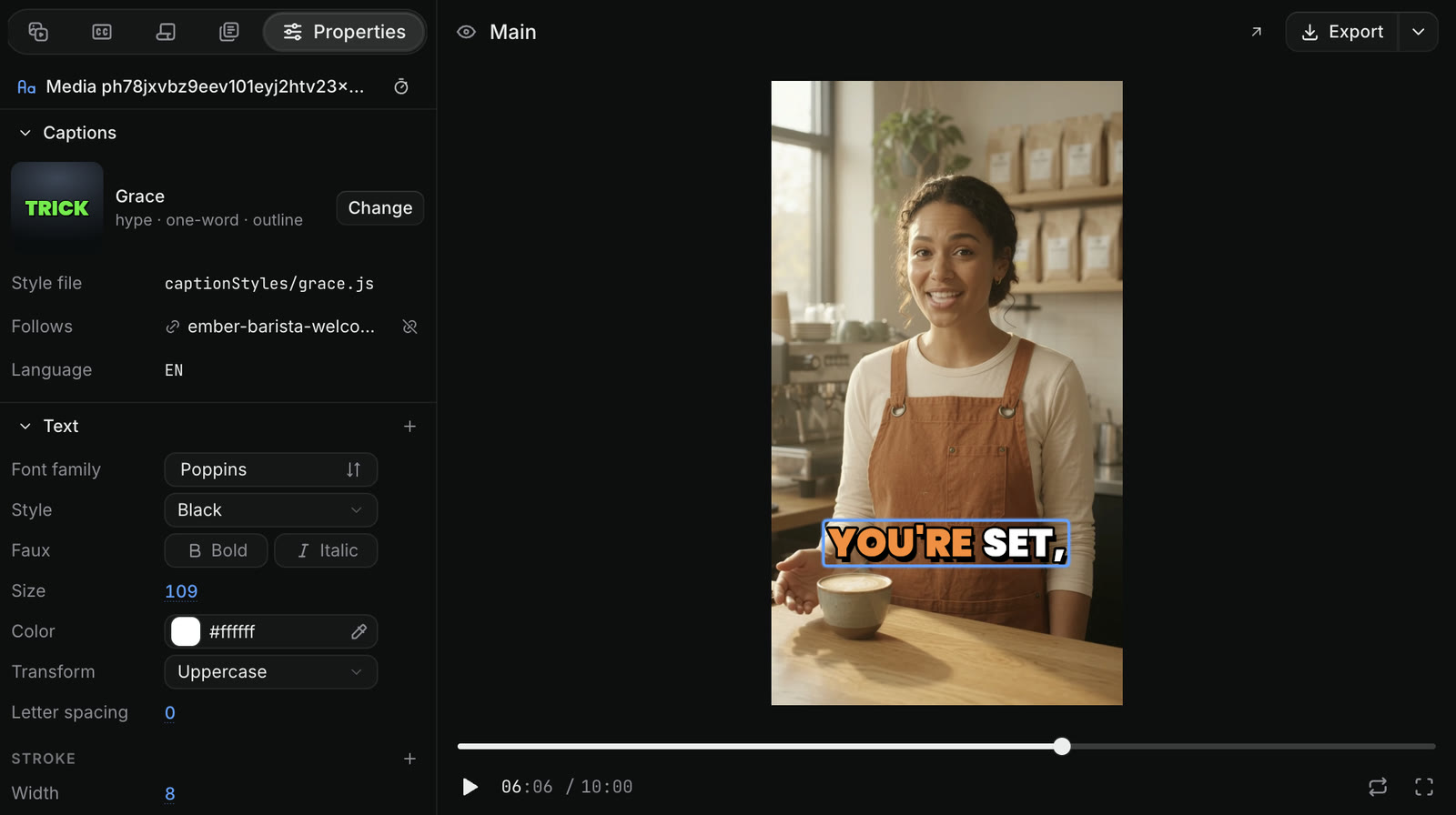
- Open Properties in the media panel. The Captions section shows the current style, for example "Grace".
- Click Change. The Caption styles window opens.
- Search the styles, or filter them by how lively they move: Calm, Medium or Hype.
- Click a style to apply it.
How do you change the font, colour and size of Craze captions?
Under the caption style in Properties, the Craze editor lists the caption's Text settings: font family, style, size, colour, uppercase or not, letter spacing and outline. Select the caption clip on the timeline, open Properties, and change any of them. When several caption clips share one style, changing a shared setting changes all of them.
How do you fix a wrong word in Craze captions?
To fix a word in Craze captions, edit the transcript:
- Select the clip with captions on the Craze timeline.
- Open Transcripts in the media panel.
- Click the wrong word, then click Edit word (the pencil) and type the right one.
The caption updates to match. Use Search transcript to find a word in a long clip.
How do you hide a word from Craze captions?
To keep a word in the audio but leave it out of the Craze captions, select it in Transcripts and click Hide from captions (the eye). This is useful for filler words such as "um" and "uh". The word still plays in the video.
How do you highlight a word in Craze captions?
To make a word stand out in Craze captions, select it in Transcripts and click Emphasis (the B). Emphasised words are underlined in the transcript and drawn in the style's accent colour in the video, like "Ember" and "roasted" in the barista example.
How do you cut a video by deleting words in Craze?
Craze lets you edit a talking video like a document.
- Select the clip on the Craze timeline.
- Open Transcripts in the media panel.
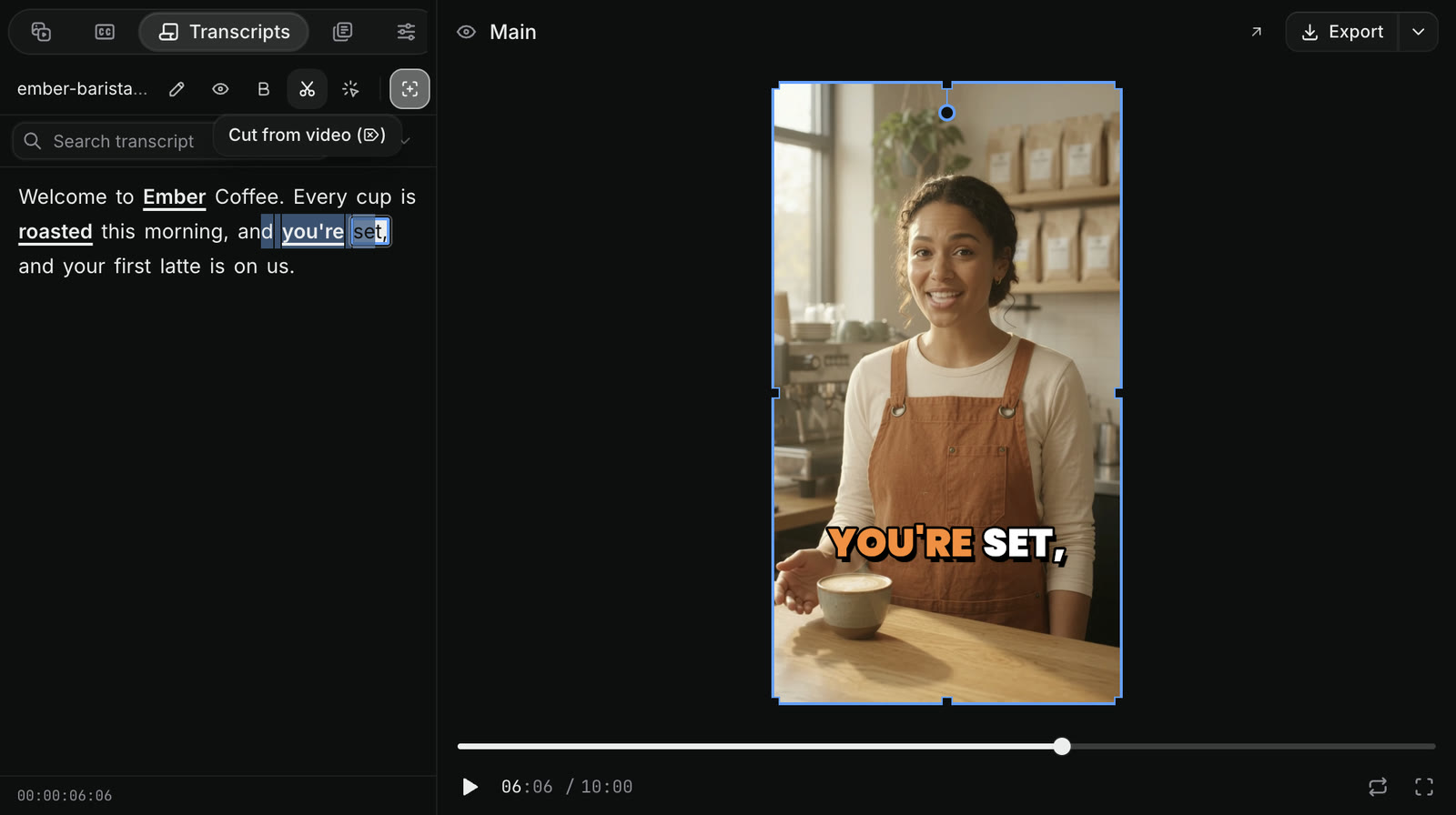
- Select the words you want to remove.
- Click Cut from video (the scissors), or press
Delete. - Craze asks you to confirm, for example "Cut 3 words from the video?". Click Cut.
Craze removes those words and the footage under them, picture and sound together, and closes the gap.
How do you export captions as a subtitle file from Craze?
When a Craze sequence has captions, the export dialog can save them as SRT or VTT subtitle files, the formats YouTube and most video players accept. Click Export at the right end of the player's header in the Craze editor and choose the subtitle file option.