
How do you see every shortcut in Craze?
Press ? anywhere in the Craze editor, or open More above the timeline and choose Keyboard shortcuts. The list opens in a window you can search by a command's name or by its key. On Windows, use Ctrl wherever a Mac shortcut uses ⌘, and Alt wherever it uses ⌥.
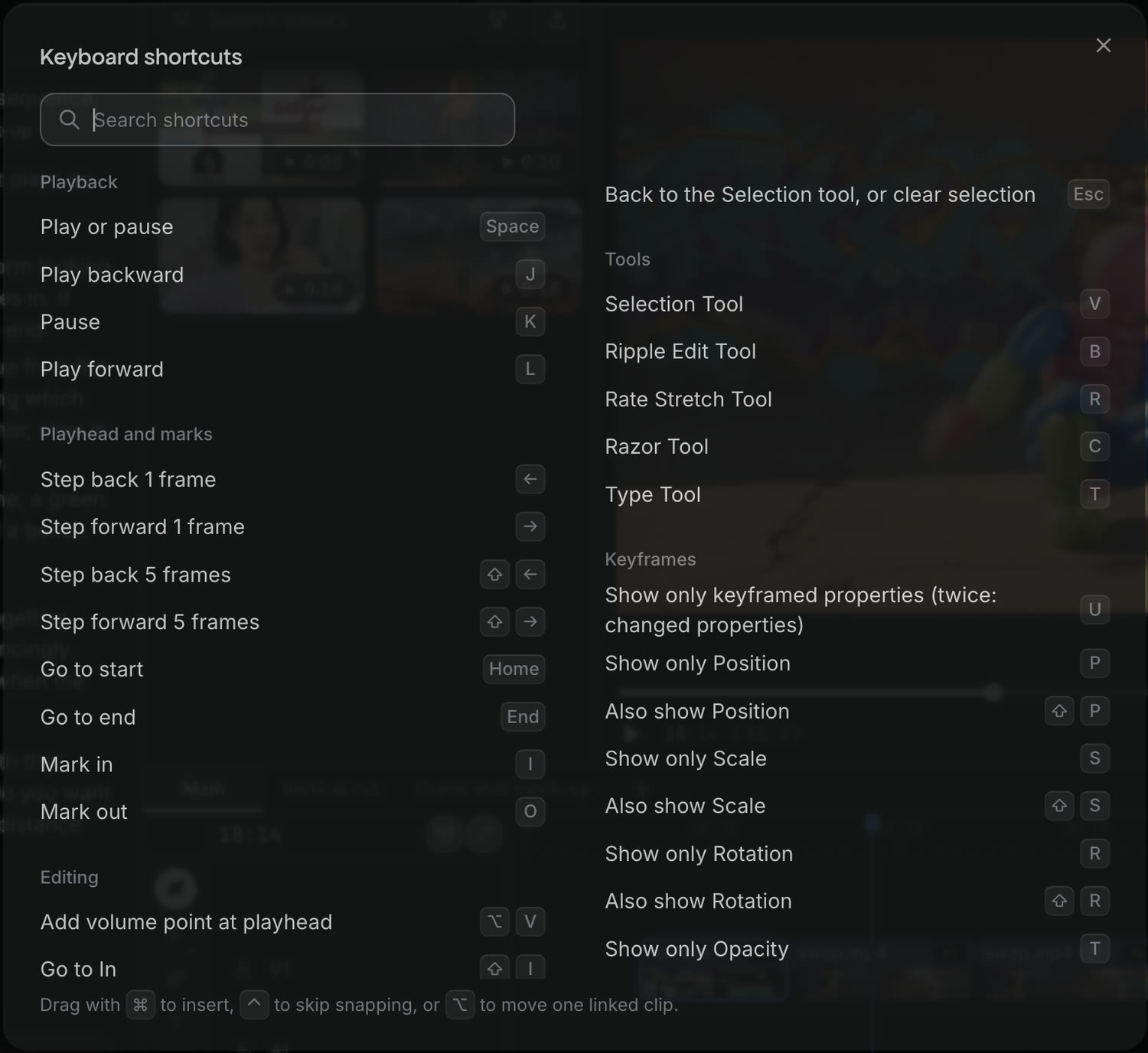
Which shortcuts play video in Craze?
These Craze shortcuts control playback in the editor:
| Action | Mac | Windows |
|---|---|---|
| Play or pause | Space | Space |
| Play backward | J | J |
| Pause | K | K |
| Play forward | L | L |
| Move one frame back or forward | ← → | ← → |
| Move five frames back or forward | ⇧← ⇧→ | Shift+← Shift+→ |
| Go to start | Home | Home |
| Go to end | End | End |
Which shortcuts set In and Out in Craze?
In and Out marks pick a range of the Craze timeline to play or to export. These shortcuts set and clear them:
| Action | Mac | Windows |
|---|---|---|
| Mark In | I | I |
| Mark Out | O | O |
| Go to In | ⇧I | Shift+I |
| Go to Out | ⇧O | Shift+O |
| Clear In | ⌥I | Ctrl+Shift+I |
| Clear Out | ⌥O | Ctrl+Shift+O |
| Clear In and Out | ⌥X | Ctrl+Shift+X |
Which shortcuts pick a tool on the Craze timeline?
Each Craze timeline tool has one key, the same on Mac and Windows:
| Tool | Key | What it does |
|---|---|---|
| Selection Tool | V | Select, move and trim clips |
| Ripple Edit Tool | B | Trim an edge and close the gap |
| Rate Stretch Tool | R | Drag an edge to change speed |
| Razor Tool | C | Click a clip to cut it; Shift-click cuts every track |
| Type Tool | T | Click in the preview to add text |
| Back to the Selection Tool, or clear selection | Esc |
Which shortcuts edit clips in Craze?
These Craze shortcuts cut, trim, copy and move clips on the timeline:
| Action | Mac | Windows |
|---|---|---|
| Add an edit at the playhead | ⌘K | Ctrl+K |
| Add an edit to all tracks | ⇧⌘K | Ctrl+Shift+K |
| Ripple trim the previous edit to the playhead | Q | Q |
| Ripple trim the next edit to the playhead | W | W |
| Delete the selected clips or gap | Delete | Delete |
| Ripple delete the selected clips or gap | ⇧Delete | Shift+Delete |
| Copy | ⌘C | Ctrl+C |
| Cut | ⌘X | Ctrl+X |
| Paste at the playhead | ⌘V | Ctrl+V |
| Paste insert at the playhead | ⇧⌘V | Ctrl+Shift+V |
| Paste attributes from a copied clip | ⌥⌘V | Ctrl+Alt+V |
| Apply the video transition | ⌘D | Ctrl+D |
| Apply default transitions to the selection | ⇧D | Shift+D |
| Move the selection one frame | ⌘← ⌘→ | Alt+← Alt+→ |
| Move the selection five frames | ⇧⌘← ⇧⌘→ | Alt+Shift+← Alt+Shift+→ |
| Add a volume point at the playhead | ⌥V | Alt+V |
Which shortcuts select clips in Craze?
These Craze shortcuts select and deselect clips on the timeline:
| Action | Mac | Windows |
|---|---|---|
| Select all | ⌘A | Ctrl+A |
| Deselect all | ⇧⌘A | Ctrl+Shift+A |
| Clear the selection | Esc | Esc |
Which shortcuts work with keyframes in Craze?
These Craze shortcuts work in Animate mode, which you turn on with the Edit and Animate toggle above the timeline:
| Action | Mac | Windows |
|---|---|---|
| Add a key at the playhead | ⌥K | Alt+K |
| Delete the selected keys | Delete | Delete |
| Copy the selected keys | ⌘C | Ctrl+C |
| Paste keys at the playhead | ⌘V | Ctrl+V |
| Move keys one frame back or forward | ⌥← ⌥→ | Alt+← Alt+→ |
| Move keys ten frames back or forward | ⌥⇧← ⌥⇧→ | Alt+Shift+← Alt+Shift+→ |
| Easy Ease the selected keys | F9 | F9 |
| Easy Ease In | ⇧F9 | Shift+F9 |
| Easy Ease Out | ⇧⌘F9 | Ctrl+Shift+F9 |
| Show only keyframed properties (press twice for changed properties) | U | U |
| Show only Position, Scale, Rotation, Opacity or Anchor point | P S R T A | P S R T A |
| Also show Position, Scale, Rotation, Opacity or Anchor point | ⇧P ⇧S ⇧R ⇧T ⇧A | Shift+P Shift+S Shift+R Shift+T Shift+A |
| Show or hide the Graph Editor | ⇧F3 | Shift+F3 |
| Clear the selected keys | Esc | Esc |
In Animate mode, S, R and T show properties instead of turning on snapping or picking a tool.
Which shortcuts undo changes in Craze?
These Craze shortcuts undo and redo changes to a sequence:
| Action | Mac | Windows |
|---|---|---|
| Undo | ⌘Z | Ctrl+Z |
| Redo | ⇧⌘Z | Ctrl+Shift+Z |
To go back further than undo reaches, open More above the Craze timeline and choose History and checkpoints.
Which shortcuts change the view in Craze?
These Craze shortcuts change how the timeline looks and move between panels:
| Action | Mac | Windows |
|---|---|---|
| Zoom in | + | + |
| Zoom out | - | - |
| Fit the whole sequence | \ | \ |
| Turn snapping on or off | S | S |
| Switch the left panel between Agent and Make | ⌘. | Ctrl+. |
| Show all keyboard shortcuts | ? | ? |