
What does Swap do in Craze?
Swap in Craze replaces the people in a video with characters from your photos. The original action and scene stay as they were; only who appears in the video changes. You can use it to put yourself, a brand mascot or a different actor into a clip you like.
Where is Swap in Craze?
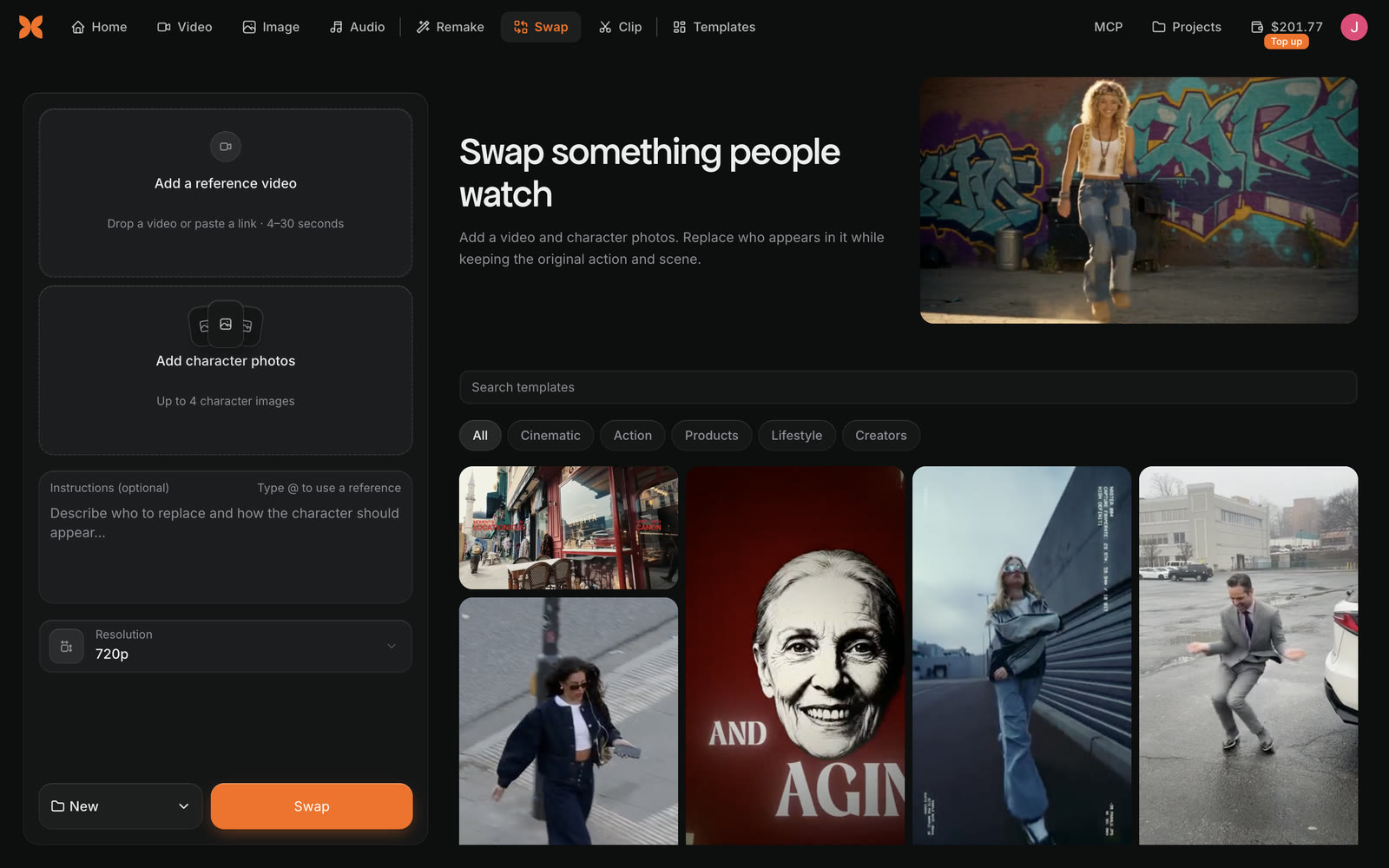
Swap is the Swap tab at the top of the Craze home page. Inside a project, Swap is a tab in the Make panel, next to Video, Image, Audio and Remake. You can also start Swap from:
- A template. Open a template on the Templates page, click Remix and choose Swap. Only templates that support Swap offer it.
- A file in your Gallery. Click Remix on a video to use it as the video to change, or on an image to use it as a character reference, and choose Swap.
How do you swap a character into a video in Craze?
To swap a character into a video in Craze:
- Open Swap.
- Under Add a reference video, drop in a video, pick one from your files, or paste a link. The video must be 4 to 30 seconds long. You can also pick a template from the list below the form.
- Under Add character photos, add up to 4 character images.
- Optionally, write Instructions, for example "Replace the woman in the red coat with the character".
- Choose a Resolution: 480p, 720p or 1080p.
- Check the price on the Swap button, then click Swap.
From the Craze home page, Swap makes a new project for you. The Project menu beside the Swap button lets you pick a recent project instead. When the Swap starts, Craze opens the project's chat and Gallery, and the finished video appears in the Gallery.
What videos and photos work with Craze Swap?
Craze Swap has these limits on what you give it:
| Input | Limit in Craze Swap |
|---|---|
| Video length | 4 to 30 seconds |
| Linked video size | Up to 512 MB |
| Character photos | 1 to 4 images |
| Character photo size | At least 300 pixels on the short side |
| Character photo shape | No wider or taller than 5:2 |
If the video is too short or too long, Craze shows "Swap needs a video between 4 and 30 seconds." Trim the video to that length first.
How do you use a video link in Craze Swap?
Craze Swap accepts a link to a public video as the video to change. Paste the link into the Paste a video link box under Add a reference video and click Add. Craze downloads the video first, and the button reads "Downloading video…" until it is ready. Instagram, X and other sites with public videos work, as long as the video is 4 to 30 seconds long. Craze can't import private videos, videos that need a login, or live streams; if a site blocks the download, download the video yourself and upload the file.
How much does Swap cost in Craze?
The Swap button in Craze shows the price before you start, and you are charged that price. The price depends on your video and on how many character photos you add, so it updates as you change them. If Craze can't work out the price, it says "Price unavailable. You can still try to start."
If you don't have enough credits, Craze says "You're out of credits. Add credits to continue." and shows an Add credits button. See the Craze pricing page for plans and credits.
What if Craze Swap won't start?
When Craze Swap can't start, it explains why under the Swap button. The most common reasons are:
- "Swap needs a video between 4 and 30 seconds." Use a shorter or longer clip.
- "Choose up to 4 character images." Remove a photo.
- "The character picture must be at least 300 pixels on its short side and no wider or taller than 5:2." Use a larger or less stretched photo.
- "Swap isn't available right now. Try again later." Swap is briefly unavailable; try again in a little while.