
What is a sequence in Craze?
A sequence in Craze is one cut of your video, with its own timeline, name and frame shape. Every Craze project starts with one sequence called Main, and a project can hold several. All the sequences in a project share the same media, so a file you upload or generate once can be used in any of them.
Why use more than one sequence in Craze?
More than one sequence lets you keep different versions of a video side by side in one Craze project. Common reasons are:
- Different shapes. A 16:9 version for YouTube and a 9:16 version for Reels, TikTok or Shorts.
- Different lengths. A long cut, a 30-second cut and a 15-second teaser.
- Trying ideas. A copy of your edit to try a new opening without touching the original.
Each sequence is exported on its own, so every version gets its own file.
Where are sequences in Craze?
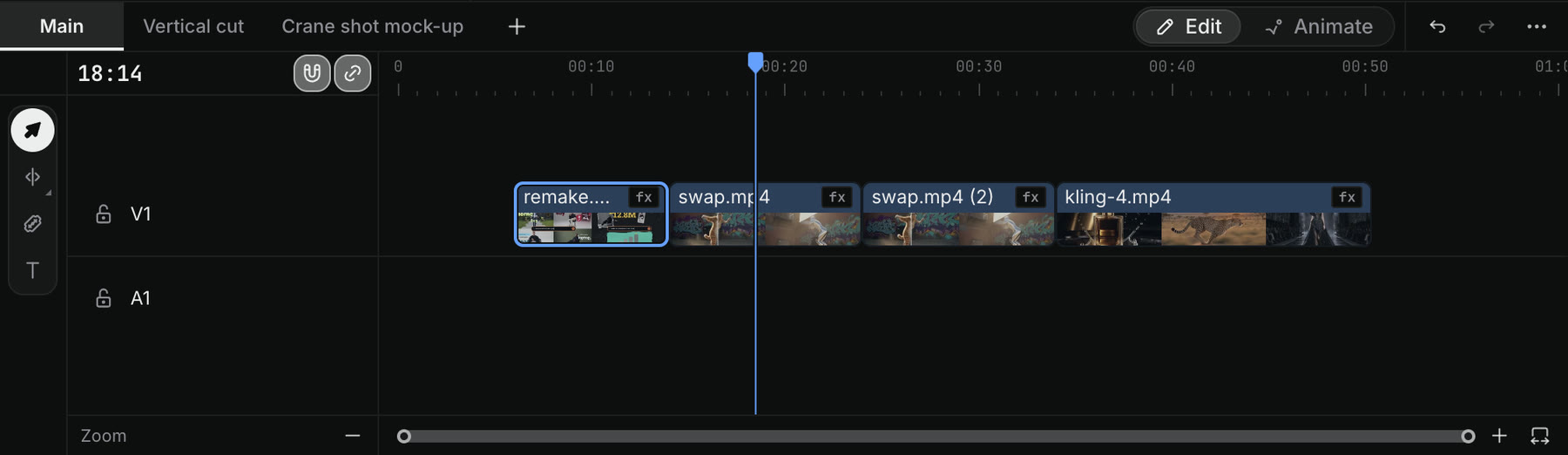
Craze sequences are the tabs along the top of the timeline in the editor. The tab in front is the sequence you are editing. Click another tab to switch to it. When the timeline is too narrow to show every tab, Craze lists the sequences in a menu instead.
How do you add a new sequence in Craze?
To add an empty sequence to a Craze project:
- Click + (New sequence) at the end of the sequence tabs above the timeline.
- Type a Name, or leave the suggested one.
- Pick a Shape.
- Click Create.
Craze offers these sequence shapes:
| Shape | Frame | Size in pixels |
|---|---|---|
| 16:9 | Landscape | 1920×1080 |
| 9:16 | Vertical | 1080×1920 |
| 1:1 | Square | 1080×1080 |
| 4:5 | Portrait | 1080×1350 |
The new sequence starts empty. Add clips to it from Assets, or copy clips from another sequence and paste them in.
How do you rename, duplicate or delete a sequence in Craze?
Right-click a sequence tab above the Craze timeline to open its menu:
- Rename lets you type a new name in the tab. Two sequences can't share a name.
- Duplicate makes a copy of the sequence with all its clips, which is the quickest way to start a second version.
- Export… opens the export dialog for that sequence.
- Delete removes the sequence after you confirm.
Main can be renamed but not deleted. When you delete a sequence, its past exports stay in your Exports list, and media it shares with other sequences stays in the project. Craze also shows an Undo button for a moment after you delete, in case you change your mind.
How do you export one sequence in Craze?
Each Craze sequence exports on its own. Right-click its tab above the timeline and choose Export…, or open the sequence and click Export in the editor. The export uses that sequence's shape, so a 9:16 sequence exports as a vertical video.
Can the Craze agent make a new sequence for me?
Yes. The Craze agent can create and edit sequences when you ask in the chat. For example: "Make a vertical version of this as a new sequence" or "Make a 15-second cut of Main as its own sequence." The new sequence appears as a tab above the timeline, and you can edit it by hand like any other.